WiFi Deadbolt and WiFi Entry Door Lock: Remote Control Explained
How a WiFi deadbolt and WiFi entry door lock work, what to compare for remote reliability, and whether a WiFi smart lock is worth the power cost for home or business.
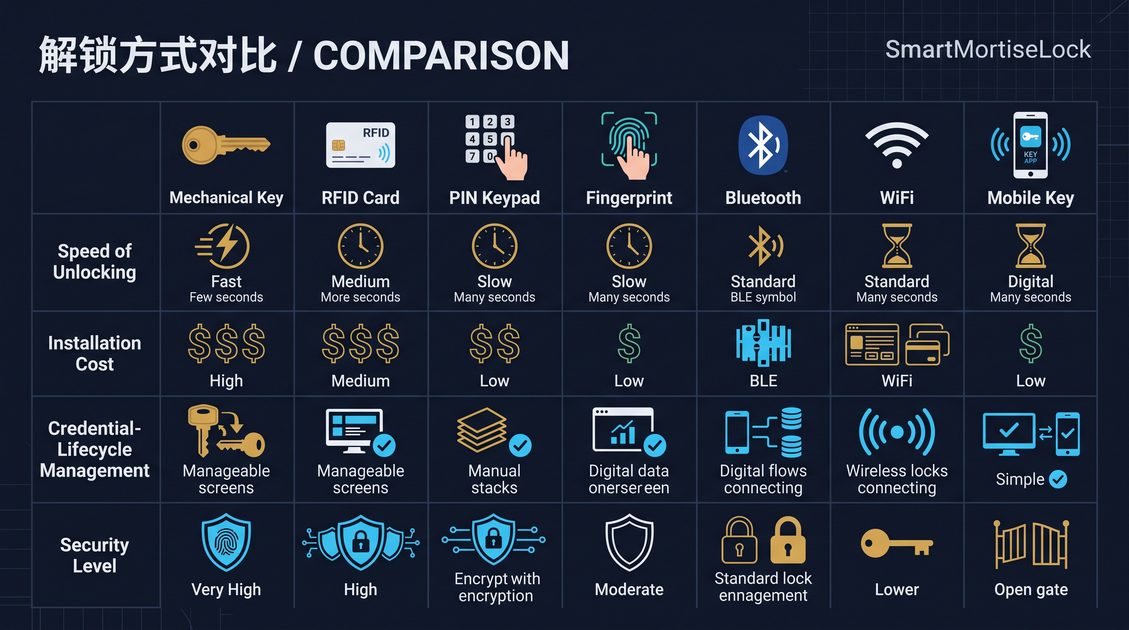
A WiFi deadbolt is a smart lock that connects to your network over WiFi so you can lock, unlock, and check the lock from anywhere using an app, rather than only when you are near the door. It is the family of smart lock that adds genuine remote control, and it is closely related to the WiFi entry door lock, which brings the same remote capability to an entry door. This guide explains how a WiFi deadbolt works, what to compare for remote reliability, and whether the remote convenience is worth the higher power demand for a home or a business.
How a WiFi Deadbolt Works
A WiFi deadbolt connects directly to your WiFi network, or to a hub or gateway that bridges it, so the lock can be reached from the internet. Through the app, you can lock and unlock the door from anywhere, check whether the door is locked, and set schedules or receive notifications. The remote capability is the defining feature: a WiFi deadbolt lets you unlock for a guest or a delivery while you are away, and it can confirm the door is secure at any time.
A WiFi entry door lock is the same idea applied to a full entry lock, which may combine the deadbolt with a keypad or handle. Both rely on a stable WiFi connection and a reliable app and platform. The core distinction from a Bluetooth lock is range and management: Bluetooth only works when you are near the door, while WiFi works from anywhere, which is the whole point of the WiFi family.
Comparing Remote Reliability
When comparing a WiFi deadbolt, the key criteria are network dependence, battery life, fallback, and platform reliability. WiFi connectivity draws more power than Bluetooth, so a WiFi deadbolt typically has a shorter battery life, and the battery should be reported to the app so you are never caught out. The lock depends on a stable network, so the WiFi signal strength at the door matters, and a lock that cannot reconnect reliably after a network outage is a frustration. The fallback, a keypad, card, fingerprint, or mechanical key, matters most when the network or the app is down.
The reliability question is whether the remote feature earns its higher power cost. A WiFi deadbolt is worth it when you genuinely need remote control, such as unlocking for a guest, confirming a door is locked from afar, or managing a rental. If you only unlock at the door, a Bluetooth lock is cheaper and more battery-friendly. This guide recommends a WiFi deadbolt with central battery reporting, a reliable reconnect, and a fallback credential, and choosing WiFi over Bluetooth only when remote control is a real need.
When a WiFi Deadbolt Is Right for You
A WiFi deadbolt is the right choice when remote control is a genuine requirement. For a homeowner, it means unlocking for a visitor or delivery and confirming the door is locked from anywhere. For a rental or short-term property, it means granting access remotely and checking the unit is secure. For a small business, it means controlling the front door when no one is on site. In each case, the remote capability is the reason to choose WiFi over Bluetooth.
The trade-off is the power cost, network dependence, and the dependence on the platform. A WiFi deadbolt is more complex than a Bluetooth lock and should be chosen when the remote convenience justifies it. Apply the same framework as any smart lock, require a reliable connection, battery reporting, and a fallback, and a WiFi deadbolt will deliver the convenience of true remote control without becoming a reliability problem.
The reliability of a WiFi deadbolt depends as much on the network as on the lock, so confirm the signal at the door before relying on remote control and choose a lock that reconnects cleanly after an outage. Pair the WiFi channel with a keypad, card, or mechanical key and a battery warning so a remote unlock is never the only path. For a rental or a small business, test the remote workflow with a real guest or employee before trusting it daily.
Not sure which sensor fits your project?
Talk to our mmWave application engineers for a free consultation.
Specify your hotel project with our engineers
Send your room count, ceiling type, and protocol preference. We will return a sample plan and quote within 24 business hours.
- Move from general guidance into a product or application discussion.
- Use RFQ when pricing, drawings, MOQ, or launch timing needs structure.
- Keep a direct contact path visible for fast clarifications and handoff.